Haguichi 1.5.5 Released
Haguichi 1.5.5 unwraps a more accessible experience this holiday season:
- Implemented highlight of search terms using the accent color.
- Increased clickable area of expanders in the network list and improved node alignment.
- Enhanced screen reader announcements of messages and events.
- Made sidebar rows focusable, enabling screen readers to read out the title.
- Added accessible label to all network list rows, enabling screen readers to read out the name, type and status.
- Added support for using Left, Right and Delete keypad shortcuts in the network list.
- Added Ctrl+W keyboard shortcut to close the window.
- Added line
SingleMainWindow=trueto .desktop file to signal desktop environments not to offer an option to launch another window. - Added support for Alacritty, Kitty, Kwi and Velocitty.
- Updated
%TERMINALcommand detection to prioritize popular and modern terminal applications. - Now only using execute options that don’t require quotes for all
%TERMINALcommands. - When approving newly joined members using notification actions, the window is now presented and the member selected.
- Notifications with actions are now automatically dismissed when no longer relevant.
- Any remaining notifications are now automatically dismissed on quit.
- Fixed automatic scrolling to newly added networks at the very end of the list.
- Updated Hungarian, Indonesian, Japanese and Lithuanian translations.
- Other minor fixes, improvements and optimizations.
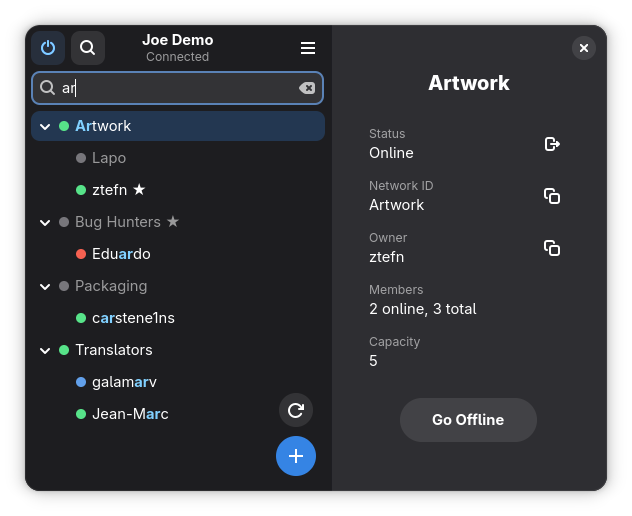
Search term highlight using the accent color.